Table of Contents
Introduction
Can you use a calculator on the HESI A2, or do you have to calculate everything by hand?
If you are preparing for the HESI A2, calculator rules can be confusing. Knowing what tools are allowed can help you feel more prepared on test day. This matters even more if you are new to nursing entrance exams.
So, can you use a calculator on the HESI? The answer depends on the testing setup and the rules provided by your school or testing center. You may also wonder whether a calculator is provided during the exam.
In this guide, we explain the HESI A2 calculator rules in simple terms. You will learn whether a calculator is available, what the on-screen calculator may look like, and when you can use it. We will also cover what to expect in the math section.
By the end, you will know how to prepare for HESI A2 math questions without relying on an unapproved calculator.
Can You Use a Calculator on the HESI?
Yes, a calculator may be available during the HESI exam, but the exact setup can depend on the exam configuration. Current Elsevier HESI materials show that schools can enable or disable the calculator for HESI A2 exams.
When enabled, the calculator is part of the computer-based testing experience. Some testing centers specifically state that the calculator is built into the exam program. This means you should not assume that you can bring your own calculator.
Your personal calculator may be prohibited because HESI exams use controlled testing environments. Elsevier’s current terms also state that students cannot use unauthorized calculators or other external resources unless they are explicitly permitted.
Before test day, check your school’s current HESI instructions. Your school or testing provider should tell you whether the calculator is enabled and what materials you may bring.
Can You Use a Calculator on the HESI A2?
Yes, can you use a calculator on the HESI A2? In current HESI A2 setups, a calculator can be enabled as part of the exam. Elsevier’s current faculty guide specifically includes an option to enable or disable the calculator for A2 exams.
When the calculator is enabled, expect to access it through the exam computer rather than bringing a handheld calculator. Some current HESI A2 testing instructions describe a basic calculator that appears on the screen during the math section.
The key difference is simple: an exam-provided calculator is controlled by the testing system. A personal calculator is a separate device and may not be allowed. Never assume that your favorite scientific or basic calculator will be accepted.
HESI A2 exams can use different testing arrangements. Your school or test provider controls important exam settings, so check their latest instructions before test day. Elsevier also recommends using the current HESI materials and testing setup provided for your exam.
Do You Get a Calculator on the HESI A2?
Yes, a calculator can be provided within the HESI A2 testing system. Elsevier’s current HESI A2 faculty guide includes a setting to enable or disable the calculator for students.
When the calculator is enabled, you can use it during the applicable parts of the exam. You should not assume that you can bring your own calculator. Your school or testing provider may set specific rules for personal devices.
Before test day, check your provider’s latest instructions. This confirms whether the calculator will be available and what items you may bring.
What Does the HESI A2 Calculator Look Like?
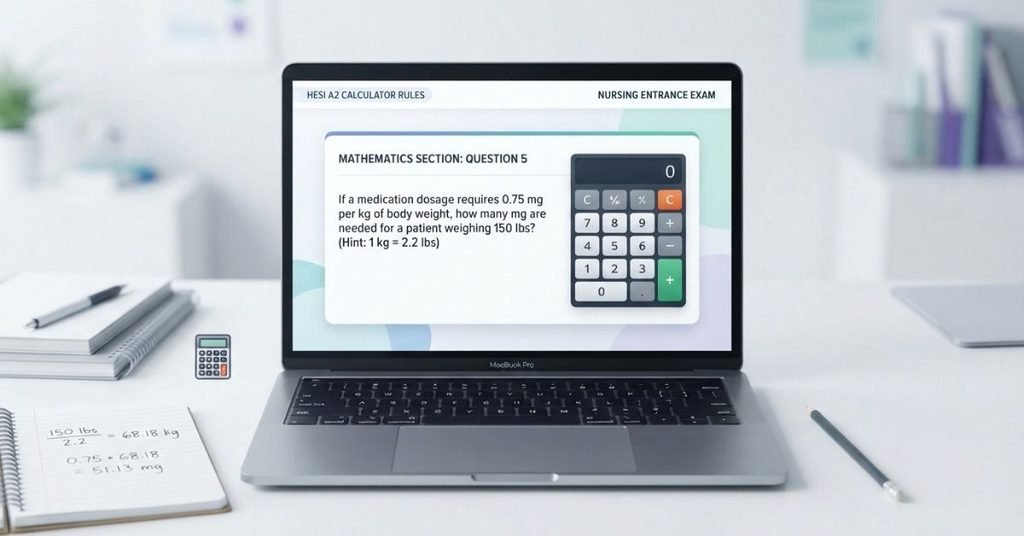
So, what does the HESI A2 calculator look like? The exact appearance can depend on the testing setup. Current Elsevier documentation confirms that the calculator can appear as an exam setting, but it does not provide a current public screenshot showing its student-facing design.
Because of that, avoid relying on unofficial screenshots that may show an older interface. Your actual calculator may appear within the computer-based exam when your test provider enables it.
For HESI math practice, focus on basic calculations, fractions, decimals, ratios, proportions, and other tested skills. Elsevier identifies these areas within the HESI A2 Mathematics section.
Pro Tip: Practice without a calculator first. Then use one when appropriate to check your work and improve speed.
What Math Skills Should You Know for the HESI A2?
Calculator access does not replace strong math skills. You still need to understand how to solve each problem and choose the correct operation.
The HESI A2 Mathematics section covers several practical skills. Focus your preparation on these areas:
- Basic arithmetic: Addition, subtraction, multiplication, and division.
- Fractions: Adding, subtracting, multiplying, dividing, and simplifying fractions.
- Decimals: Converting, comparing, adding, subtracting, multiplying, and dividing decimals.
- Percentages: Finding percentages, percentage changes, and solving percentage problems.
- Ratios and proportions: Setting up and solving proportional relationships.
- Conversions: Converting between common measurement units.
- Basic algebra: Solving simple equations and working with unknown values.
- Word problems: Identifying important information and choosing the correct mathematical operation.
Word problems deserve extra attention because you must understand the question before calculating. A calculator can check arithmetic, but it cannot decide which method you should use.
Pro Tip: Practice each skill without a calculator first. This builds accuracy and helps you recognize the correct steps faster.
How to Prepare for HESI A2 Math
A simple practice routine can help you build both accuracy and speed. Start with basic skills, then add timed practice as you improve.
Step 1 — Learn the Formulas
Review the formulas and rules needed for common HESI A2 math problems. Make sure you understand what each formula means before memorizing it.
Step 2 — Practice Without a Calculator
Solve problems by hand before using a calculator. This strengthens your number skills and helps you catch calculation errors.
Step 3 — Practice With Timed Questions
Add timed practice once you feel comfortable with the basics. Work on answering questions accurately while managing your available time.
Step 4 — Check Your Mistakes
Review every question you miss. Identify whether the problem came from a formula, calculation, setup, or reading mistake.
Step 5 — Learn Permitted Calculator Functions
Become comfortable with the calculator functions your testing provider permits. Don’t depend on features you may not have during the exam.
Step 6 — Review Weak Areas
Keep practicing the topics that cause repeated mistakes. Return to easier questions when needed, then gradually increase the difficulty.
Pro Tip: Keep a short error log during practice. Recording repeated mistakes can show you exactly which skills need more review.
Common HESI A2 Calculator Mistakes
Even when a calculator is available, simple mistakes can cost you time and accuracy. Knowing these common problems can help you avoid them during practice and test day.
- Assuming a personal calculator is allowed: Don’t bring or use one unless your testing provider specifically permits it.
- Depending completely on a calculator: Understand the math before entering numbers. A calculator cannot choose the correct method for you.
- Entering percentages incorrectly: Check whether the problem requires a percentage, decimal, or percentage change.
- Forgetting order of operations: Work through parentheses, exponents, multiplication, division, addition, and subtraction correctly.
- Rounding too early: Keep extra decimal places during your calculations. Round only when the question requires it.
- Skipping a reasonableness check: Ask whether your final answer makes sense for the numbers in the problem.
- Spending too long on one calculation: If you’re stuck, move forward when appropriate and return later if your testing setup allows it.
Pro Tip: Treat the calculator as a tool for checking and speeding up calculations, not as a replacement for understanding the math.
HESI A2 Calculator Practice
Practicing common HESI A2 math skills can help you become more comfortable with calculations. Try these questions before checking your answers.
Percentage
Question: What is 15% of 80?
Answer: 12
Fractions
Question: Calculate .
Answer:
Ratios
Question: A ratio is 2:5. If the first value is 8, what is the second value?
Answer: 20
Conversions
Question: How many inches are in 3 feet?
Answer: 36 inches
Basic Algebra
Question: Solve .
Answer:
These short exercises cover several skills you may encounter while preparing for HESI A2 math. Focus on the steps, not just the final answer.
Pro Tip: After solving each question by hand, use your permitted calculator to verify the result. This builds both calculation accuracy and calculator confidence.
ESI Conversion Score Calculator
After practicing HESI questions, you may also want to understand your possible conversion score. Our HESI Conversion Score Calculator can help you estimate your score using the methodology supported by the calculator.
Enter your available score information and follow the calculator’s instructions. The result can help you understand how your practice performance translates into the supported conversion format.
Keep in mind that a calculator estimate does not replace an official score from your testing provider. Use it as a study and planning tool.
Ready to check your score?
[Use the HESI Conversion Score Calculator →]
Is the HESI A2 Calculator the Same as a Regular Calculator?
An exam calculator and a regular calculator may serve similar purposes. However, their availability and permitted functions can differ.
| Feature | Exam Calculator | Regular Calculator |
|---|---|---|
| Availability | Depends on testing setup | Personal device |
| Allowed functions | May be limited | Depends on device |
| Exam use | Subject to test rules | May not be allowed |
| Practice use | Use when permitted | Useful for preparation |
The key difference is permission. A calculator that works well for practice may not be permitted during your HESI A2 exam.
Always follow the specific calculator instructions provided for your exam.
Important: Check Your Current HESI Instructions
HESI A2 calculator rules can depend on your testing setup. Don’t rely on an old student report or outdated website when preparing for your exam.
Before test day, verify the current instructions from:
- Your testing center: Ask which calculator options are available.
- Your school or nursing program: Confirm its HESI A2 testing requirements.
- Current HESI instructions: Review the latest information provided for your exam.
- Exam-day rules: Check what calculators and other materials you may bring.
This step matters because testing procedures can change. The rules for one school or testing setup may not apply to another.
Pro Tip: Save the latest instructions before test day. If the rules conflict with older advice online, follow the current instructions from your school or testing provider.
Conclusion
Knowing the calculator rules can make HESI A2 preparation feel much simpler. We covered calculator availability, personal calculator restrictions, common mistakes, and important math skills.
So, can you use a calculator on the HESI? Calculator availability depends on your testing setup and the current instructions for your exam. Don’t assume that a personal calculator will be permitted.
Build your math skills before test day. Practice fractions, percentages, ratios, conversions, and basic algebra without relying completely on a calculator.
Before your exam, confirm the latest rules with your school or testing provider. Then practice with the tools and methods you are allowed to use.
Ready to keep preparing? Explore our HESI calculators and practice resources to strengthen your math skills before test day.
Frequently Asked Questions
A calculator may be available on a HESI exam, depending on the exam setup. Current Elsevier HESI A2 documentation allows exam administrators to enable or disable the calculator. Check your school or testing provider for your specific exam rules.
Yes, a calculator can be available on the HESI A2. However, its availability depends on how your exam is configured. Your school or testing provider should confirm whether the calculator will be enabled for your test.
You may get access to a calculator through the HESI testing system. Elsevier’s current A2 setup lets administrators enable or disable this feature. Confirm the setting with your school before test day.
Calculator availability depends on the specific HESI exam and testing setup. Do not assume every HESI exam provides the same calculator access. Follow the current instructions from your school or testing provider.
The calculator is part of the computer-based testing environment when the feature is enabled. Current public Elsevier documentation confirms the calculator setting but does not provide a current student-facing screenshot of its interface. Avoid relying on unofficial screenshots that may show an older design.
Do not assume that you can bring or use a personal calculator. Calculator access is controlled by the testing setup, and your school or testing provider may have additional exam-day restrictions. Check the current instructions before bringing one.
HESI A2 math preparation includes skills such as basic arithmetic, fractions, decimals, percentages, ratios, proportions, conversions, and basic algebra. You should also practice applying these skills to word problems.
Yes. Practice without a calculator so you understand the underlying math and can check your work confidently. Then practice with the calculator features permitted for your specific exam setup. This helps you avoid depending completely on a calculator.

We are the Math Study Tools Team, focused on creating clear and practical tools that make common math calculations easier for students. Our platform is designed to help high school and college students solve problems, check their work, and better understand the math behind their calculations.
We create student-friendly calculators and learning resources covering topics such as algebra, geometry, statistics, probability, equations, percentages, fractions, and other common mathematical concepts.
Through MathStudyTools.com, our goal is to provide useful resources that help students practice math, understand different problem-solving methods, and study with greater confidence.